Sahara Rally Manager
A technical desert rally manager: plan the stage, tune the setup and send out the assistance van.
Play now Free · in the browser · no registration
What it is
Sahara Rally Manager is a rally raid manager set in the desert, with a technical control-centre interface. You do not drive: you are the team manager and decide everything around the race. You manage the car, the crew and the assistance van across a multi-stage race, with different weather and terrain for each sector and difficulty levels from easy to extreme.
Before each stage you have twelve hours at base camp to repair, refuel, tune the setup and send the van to the right point on the sector map; every minute beyond twelve counts as a double penalty. Then you set the pace (conserve, normal, push), the throttle response, the traction control and the differential use, adapting them to the surface and conditions.
- Genre
- Management, rally
- Platform
- Browser (phone and computer)
- Orientation
- Phone in landscape
- Languages
- Italian, English
- Players
- 1 player
- Price
- Free
How to play
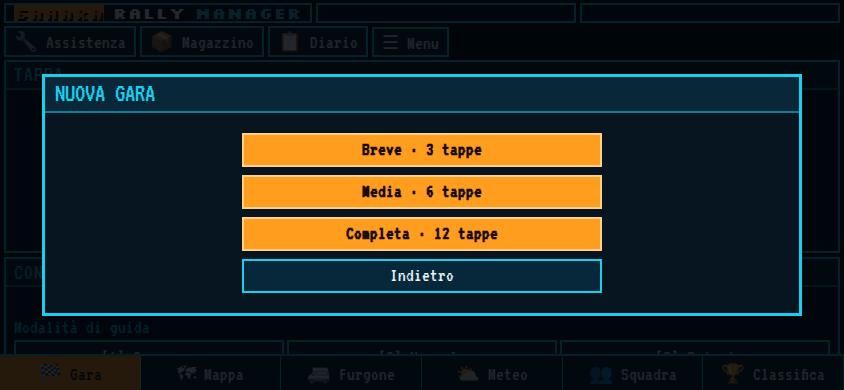
- Choose the difficulty and the length of the race (3, 6 or 12 stages).
- At base camp fix the car and the team and, with the Assistance panel, load the van with spares, fuel and wheels.
- On the sector map tap a point to send the van: it can then help you in case of a breakdown.
- During the stage adjust the pace and electronic aids to the surface: mud and snow want high values, asphalt low.
- Respect the twelve base-camp hours: every minute beyond counts as a double penalty.
Controls
Touch or mouse on the interface, with keyboard shortcuts [1] Conserve, [2] Normal, [3] Push.
Tips
- Always carry a set of spares in the van: a breakdown with no spares can only be solved with a makeshift repair.
- Check the sector weather before leaving: in fog the navigator has more work.
- Do not push all the time: an overheated engine leads to a forced stop.
Leaderboards
- Full · 12 stages — Full 12-stage rally. Score: final position, stages won and remaining budget; if you retire, 100 points for each stage completed.
- Medium · 6 stages — 6-stage rally. Score: final position, stages won and remaining budget; if you retire, 100 points for each stage completed.
- Short · 3 stages — 3-stage rally. Score: final position, stages won and remaining budget; if you retire, 100 points for each stage completed.
Frequently asked questions
Which leaderboards are there?
One for each race length: three stages, six stages or all twelve.
Do I need to know rallying?
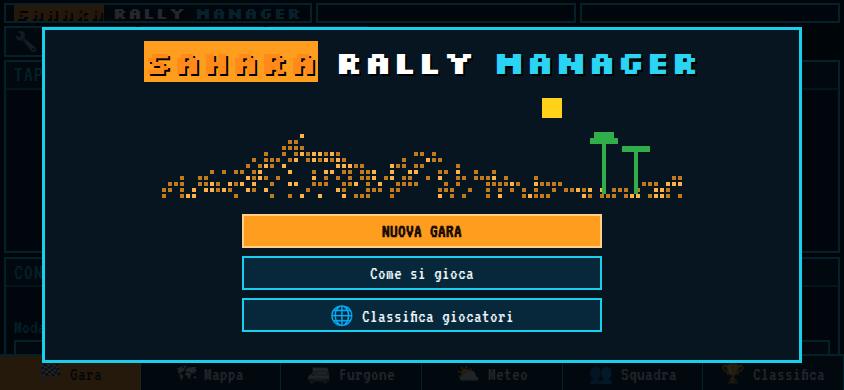
No: the game explains the mechanics as you go, with the How to play button on the first screen.